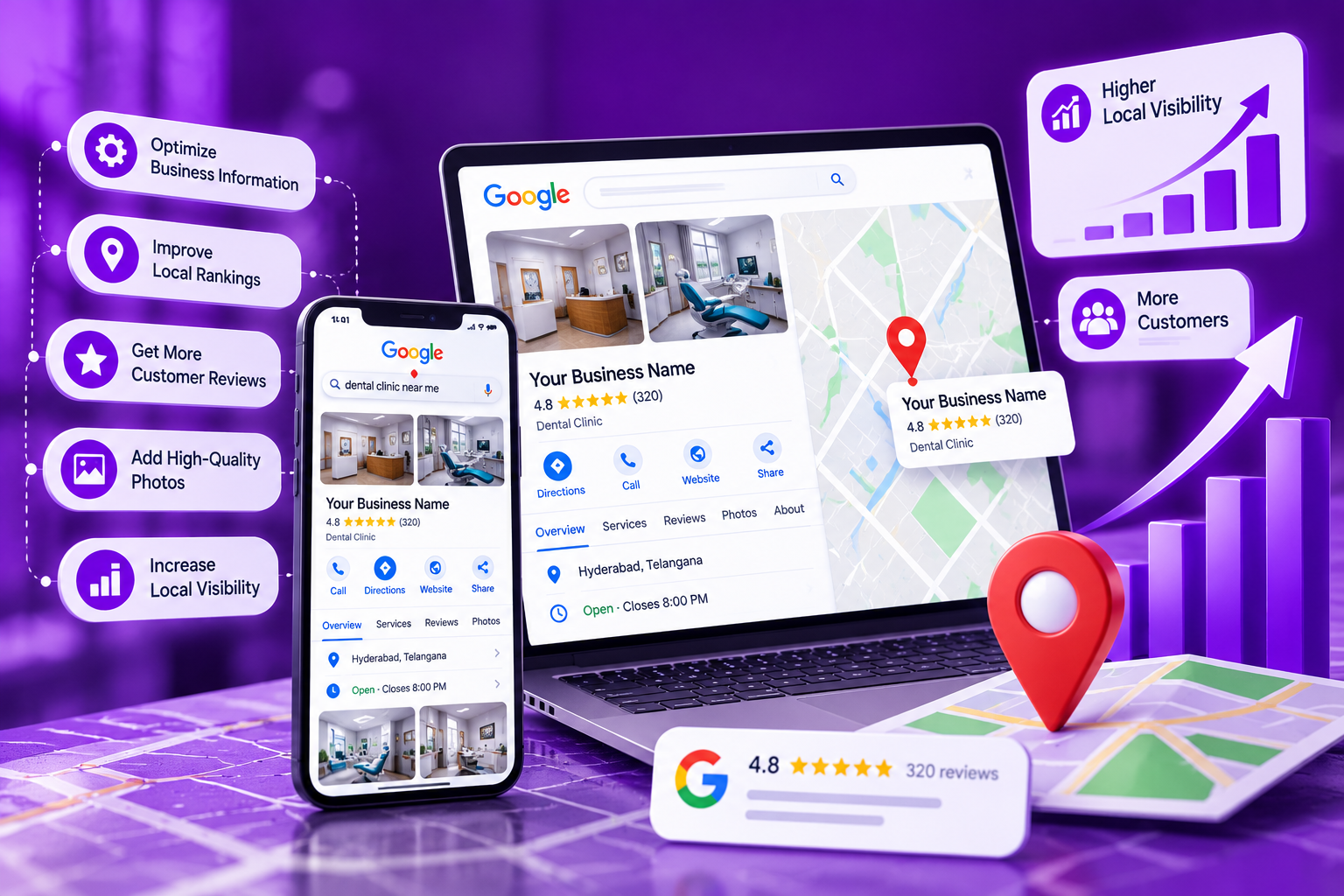
When someone searches for a nearby service, they want to make a decision with as little uncertainty as possible. They may need to confirm a business’s location, understand its services, compare customer feedback, or find a reliable way to get in touch. Google Business Profile Optimization helps businesses present essential details clearly so potential customers can evaluate their options with confidence.
A business listing should do more than display a name and phone number. Google Business Profile Optimization helps ensure that a company is accurately represented, common customer questions are addressed and useful information is provided throughout the customer journey. Keeping these details current can support local discovery and create a more reliable experience for people searching online.
What Details Does Google Business Profile Optimization Include?
Eligible businesses can use a Google Business Profile to manage their details on Google Search and Google Maps. Customers can explore a company’s information before visiting its website or contacting its team. Google Business Page Optimization helps present the company’s offerings clearly to potential customers.
Google Business Page Optimization helps businesses keep their profiles informative and relevant. Depending on the business and the features available, the profile may include:
The official business name and category
A physical location or eligible service area
Telephone number and website link
Regular opening hours and special schedules
Customer reviews and ratings
Relevant photographs, products, or services
Other available business details
Imagine someone searching for a dental clinic nearby. They may compare practices based on treatments, locations, opening hours, and patient feedback. Google Business Page Optimization helps clinics present accurate, relevant information so potential patients can evaluate their options before deciding which clinic to contact.
Businesses should review their details whenever operational changes occur. An incorrect telephone number, outdated address, or inaccurate holiday schedule can inconvenience potential customers. Regular Google Business Page Optimization helps keep the listing accurate and ensures visitors can access reliable, up to date information.
Why Is Google Business Profile Optimization Important for Local Businesses?
- Local discovery: Relevant business details help customers identify options that match their search.
- Convenient access: Visitors can find essential information without searching through several pages.
- Customer confidence: Accurate descriptions and genuine photographs provide a clearer picture of the company.
- Contact opportunities: Available features may allow customers to call, visit a website or request directions.
- Informed decisions: Service descriptions and reviews help people decide whether a business suits their requirements.
Review Your Business Information Carefully
Before making advanced changes, examine every important field in your listing. The information should reflect your real business and follow Google’s applicable guidelines.
Business name: Use the name customers recognize from your actual business identity. Do not add extra keywords or promotional claims that are not part of the legitimate name.
Primary category: Choose the category that best describes your main activity. Choose secondary categories only for other relevant aspects of your business that you actively offer.
Address or service area: Enter an accurate location when your business is eligible to display one. Service area businesses should identify the places they actually serve and follow the relevant address requirements.
Contact information: Confirm that your telephone number works and that the website link opens the correct page.
Opening hours: Maintain the usual schedule and update special hours when holidays or temporary changes affect availability.
Business description: Explain what your company does, whom it serves, and which products or services customers can expect.
Products and services: Include current offerings and remove information about anything that is no longer available.
Accurate details are more valuable than filling every available field with unnecessary text. The details provided should be accurate and trustworthy for potential customers.
Choose Categories That Match Your Business
Categories help describe the nature of a company and establish which searches may be relevant to its listing. Selecting them requires an understanding of the business’s main purpose rather than a desire to target as many keywords as possible.
For example, a dental clinic should choose a category that accurately represents its principal activity. A restaurant, retailer, repair company, or professional service provider should apply the same principle to its own industry.
Review the services listed on your profile as well. Choose familiar service names and provide straightforward descriptions to help customers understand what your business offers. Remove entries that are inaccurate or no longer available.
Effective Google Business Page Optimization begins with a profile that communicates the right information. Incorrect categories or inaccurate service descriptions may confuse potential customers and give them a false impression of your business.
Add Photographs That Represent Your Business
- The premises: Exterior views can help visitors recognize the correct location.
- Interior spaces: Show the environment customers may encounter.
- Products: Display items that are genuinely available.
- Team members: Introduce employees when appropriate and with their permission.
- Completed work: Share authentic examples relevant to the services you provide.
Create a Consistent Process for Managing Reviews
- Invite honest feedback: Give customers an optional opportunity to share their experience after a genuine interaction.
- Acknowledge positive reviews: Respond naturally and refer to specific details when appropriate.
- Address concerns professionally: Recognize the issue and explain how the customer can discuss it with your team.
- Look for repeated problems: Similar complaints may reveal areas where your business needs to improve.
- Protect private information: Never disclose confidential customer details in public replies.
Strengthen Your Presence Across Local Search Platforms
- Checking the business name, address, and telephone number on important listings
- Publishing clear pages about your main services
- Explaining the areas your company genuinely serves
- Making sure website contact information matches your business profile
- Correcting outdated information on relevant directories
- Building genuine connections with suitable local organizations and industry websites
When Is Professional Profile Management Worth Considering?
Some businesses can manage their profiles internally, while others may require professional assistance. GMB optimization services can benefit companies with multiple branches, limited staff, or a high volume of customer enquiries. Effective Google local business listing optimization helps maintain accurate business information and improve the consistency of their online presence.
The scope of GMB optimization services can vary between providers. Depending on the agreement, it may include:
- Auditing existing profile information
- Reviewing categories and service descriptions
- Correcting eligible contact details and operating hours
- Organizing relevant photographs and profile updates
- Developing a review response process
- Examining available performance reports
- Identifying inconsistent information across important listings
Before choosing a provider for GMB optimization services, ask about the proposed tasks, reporting methods, and pricing. A reliable agency should explain its responsibilities and how it will assess progress. Effective Google local business listing optimization requires following Google’s guidelines and maintaining accurate business information. Avoid providers that guarantee specific rankings or recommend fake reviews, misleading business names, or unnecessary duplicate listings, as these practices can put your profile at risk.
Professional GMB optimization services should follow ethical practices, comply with Google’s guidelines, and explain the benefits and limitations of their work. Effective Google local business listing optimization relies on accurate business information and transparent methods, while a GMB ranking service can help monitor search performance and identify opportunities to improve local visibility.
Measure Performance Beyond a Single Ranking
A listing’s performance cannot be evaluated accurately by checking a single keyword from one location, as search results vary based on the query, the user’s location, and other factors. A GMB ranking service can help assess these variations and interpret performance data. Use the reporting tools available in your profile to understand how customers find and interact with your business, including search activity, website visits, calls, direction requests, and other available metrics.
Look for patterns over comparable periods. For example, an increase in website visits without more enquiries may indicate a need for clearer service descriptions or easier contact options. More direction requests could reflect greater interest in visiting the business. A GMB ranking service can help analyze these trends and identify areas for improvement.
When evaluating a GMB ranking service, ask how rankings are measured, which search terms are tracked, and whether location differences are considered. Reports should explain what the data means instead of treating a single position as proof of success.
Use these insights to identify opportunities for improvement. A GMB ranking service can help assess performance trends, while changes in customer activity should be evaluated alongside business conditions, local competition, and other relevant factors.
Avoid Practices That Can Damage Your Listing
- Adding promotional keywords to the official business name
- Selecting categories unrelated to the company’s actual activities
- Publishing incorrect contact details or addresses
- Forgetting to update special opening hours
- Ignoring customer feedback
- Using outdated or misleading photographs
- Creating unnecessary duplicate profiles
- Advertising services that are unavailable
- Manipulating reviews
- Relying on guaranteed ranking claims
Establish a Practical Maintenance Routine
- Review new customer feedback.
- Respond to reviews where appropriate.
- Check for customer questions or urgent information changes.
- Verify contact details and website links.
- Confirm opening hours and service descriptions.
- Review available performance information.
- Reassess categories and photographs.
- Check important external business listings.
- Identify outdated descriptions or service information.
- Update contact details, location information, or opening hours.
- Reflect changes to the products and services you offer.
- Correct other details that may affect customers.
Frequently Asked Questions
How often should I review my business profile?
Check important details regularly and update them whenever your business information changes. A monthly review can help identify outdated details, while urgent changes and new customer feedback should be handled as they arise.
Can profile improvements guarantee a higher Google Maps position?
No. Better information can help customers understand your business, but rankings also depend on relevance, distance, prominence, competition and the specific search being performed.
What should I check before hiring a profile management agency?
Ask about its tasks, pricing, reporting methods and compliance practices. Avoid providers that guarantee top positions or recommend misleading business information and artificial reviews.
Why should business details match across online platforms?
What should I do if my profile contains incorrect information?
Review the affected field and update it using the available profile management options. Check important external listings for the same error and consult Google’s official guidance if you encounter a restriction or verification issue.